
Introduction
Errors in Odoo are not just “problems” — they are important guardrails that ensure data accuracy, security, and user workflow correctness. As a developer, knowing how Odoo errors work (and how to raise them properly) is essential when customizing modules.
Error management (or error handling) in Odoo refers to the systematic process of anticipating, detecting, and responding to runtime faults within Odoo modules and business workflows. It encompasses:
- Prevention – Validating data and user actions before they cause failures.
- Detection – Using try...except blocks, constraints, and logging to identify when something goes wrong.
- Communication – Presenting clear, actionable messages to end users via UserError or ValidationError.
- Recovery – Rolling back partial changes, retrying operations, or safely skipping faulty records without corrupting the database.
- Observation – Logging errors with sufficient context (_logger.error()) for debugging and auditing.
In Odoo’s transactional environment, proper error management ensures that a single mistake doesn’t undo an entire user session, while also protecting data integrity.
1. What Are Errors in Odoo?
Odoo errors are exceptions raised during operations to stop an action when:
- Data is invalid
- User is not allowed to perform the action
- Business rules are violated
- Mandatory fields are missing
- Something is logically inconsistent
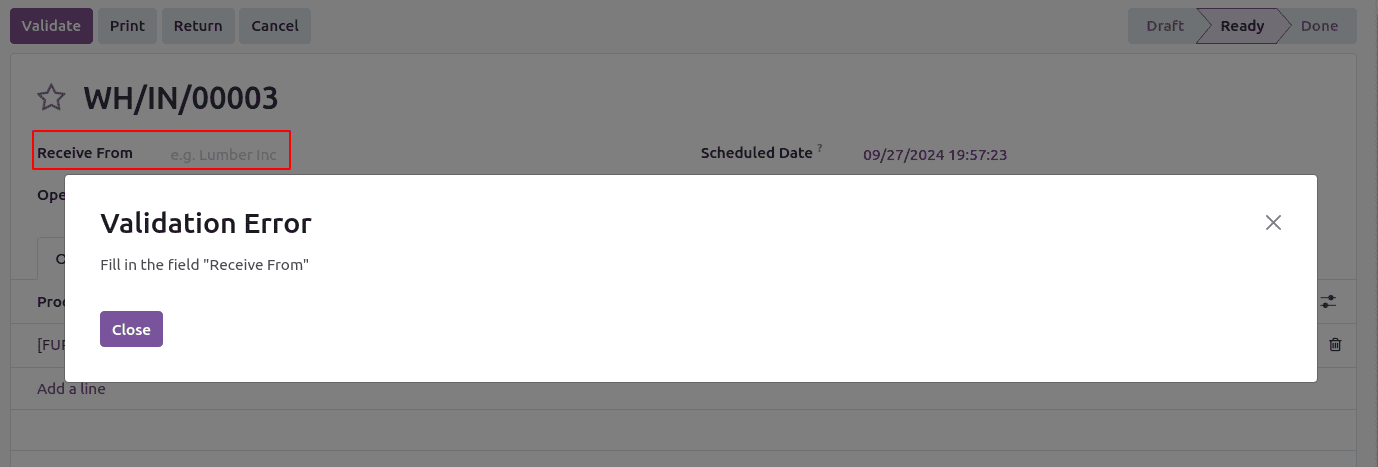
These errors appear as pop-up messages in the Odoo UI. Example:
2. The Most Common Errors in Odoo
ValidationError
Used when data is incorrect or violates a business logic rule.
@api.constrains('code')
    def _check_code(self):
        for record in self:
            if record.code:
                normalized = record.code.strip().lower().replace(' ', '')

                all_partners = self.search([
                    ('code', '!=', False),
                    ('id', '!=', record.id),
                ])

                for partner in all_partners:
                    existing_normalized = partner.code.strip().lower().replace(' ', '')
                    if normalized == existing_normalized:
                        raise ValidationError(
                            f'Code "{record.code}" already used for '
                            f'"{partner.name}" '
                            f'Code must be unique!'
                        )
UserError
Shows an error caused by a user action, normally in buttons or method calls.
def action_confirm(self):
        for rec in self:
            if rec.commitment_date:
                return super().action_confirm()
            else:
                raise UserError(_('Please fill in the Delivery Date before confirming the quotation.'))
AccessError
Raised when user does not have permission to access a record or operation.
def action_print_xlsx(self):

        current_user = self.env.user
        if current_user.id not in query_record.users_ids.ids:
            raise AccessError(_("You do not have permission to generate this report."))
AccessDenied
AccessDenied digunakan ketika user tidak lolos autentikasi, biasanya dalam konteks login atau API token.
from odoo.exceptions import AccessDenied

def authenticate_user(self, username, password):
    if not self._check_pwd(username, password):
        raise AccessDenied("Wrong login credentials.")
Conclusion
Error handling in Odoo is far more than simply stopping a process — it is a critical part of designing safe, predictable, and user-friendly business workflows. By understanding the differences between ValidationError, UserError, AccessError, AccessDenied, and etc, developers can ensure that the right message reaches the right audience at the right time.
Good error management protects data integrity, prevents workflow misuse, enforces business rules, and ensures that users receive clear feedback when something goes wrong. Whether validating user input, managing permissions, or securing authentication, raising the appropriate error type results in cleaner code, fewer bugs, and a better user experience.
Mastering these error types is essential for anyone customizing Odoo modules—because well-designed systems don’t just work; they guide users safely through every step.