
Introduction
Automation rules in Odoo 19 represent a powerful framework for streamlining business operations without writing extensive code. As businesses grow, manual processes become bottlenecks. Odoo's automation engine solves this by allowing you to create intelligent workflows that trigger actions based on specific conditions, schedules, or events.Whether you're looking to automate lead qualification, invoice reminders, inventory updates, or customer communications, Odoo 19 provides robust tools that can save hours of manual work while reducing human error.
Set-up Automation Rules
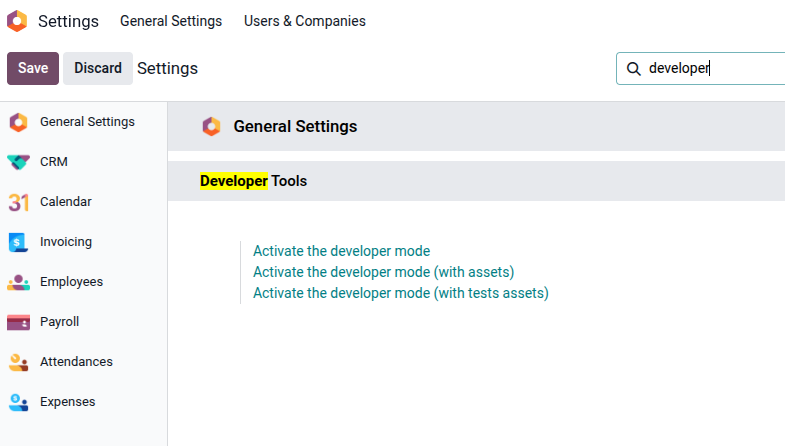
Step 1- Enable Developer Mode
To activate developer mode Navigate to Settings → Activate Developer Mode.
Next, install the Automation Rule app, navigate to Apps > search for Automation Rule > click Activate.
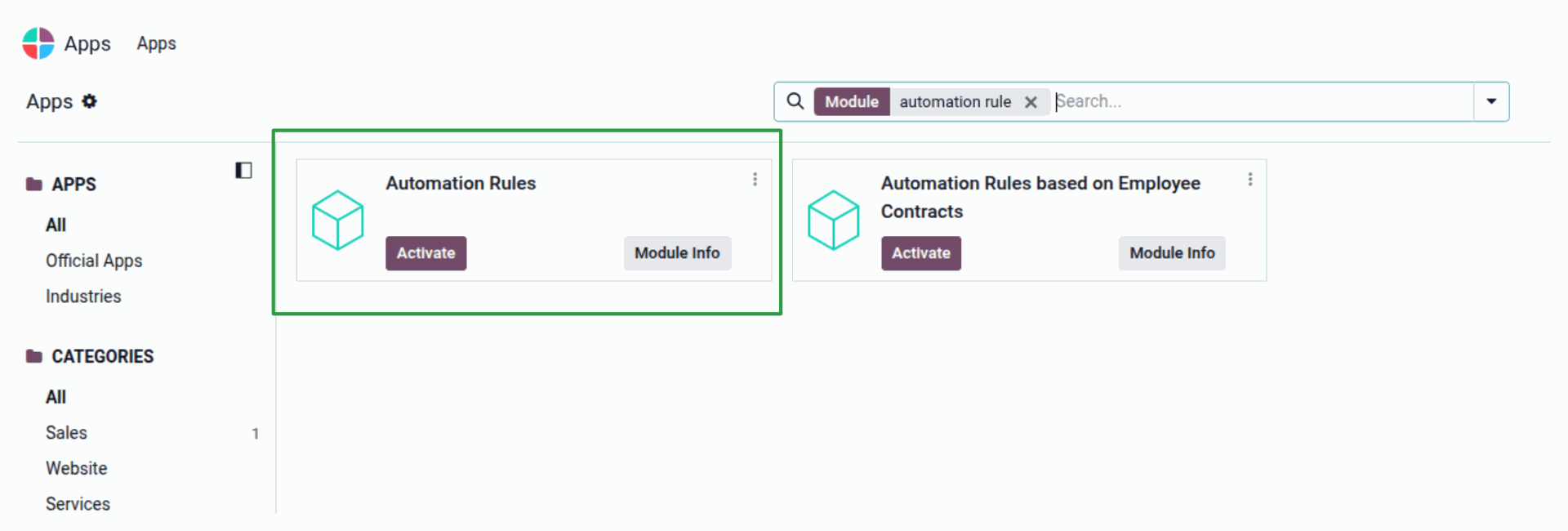
Step 2 - Configure Automation Rule
Navigate to Settings > Technical > Automated Rules.
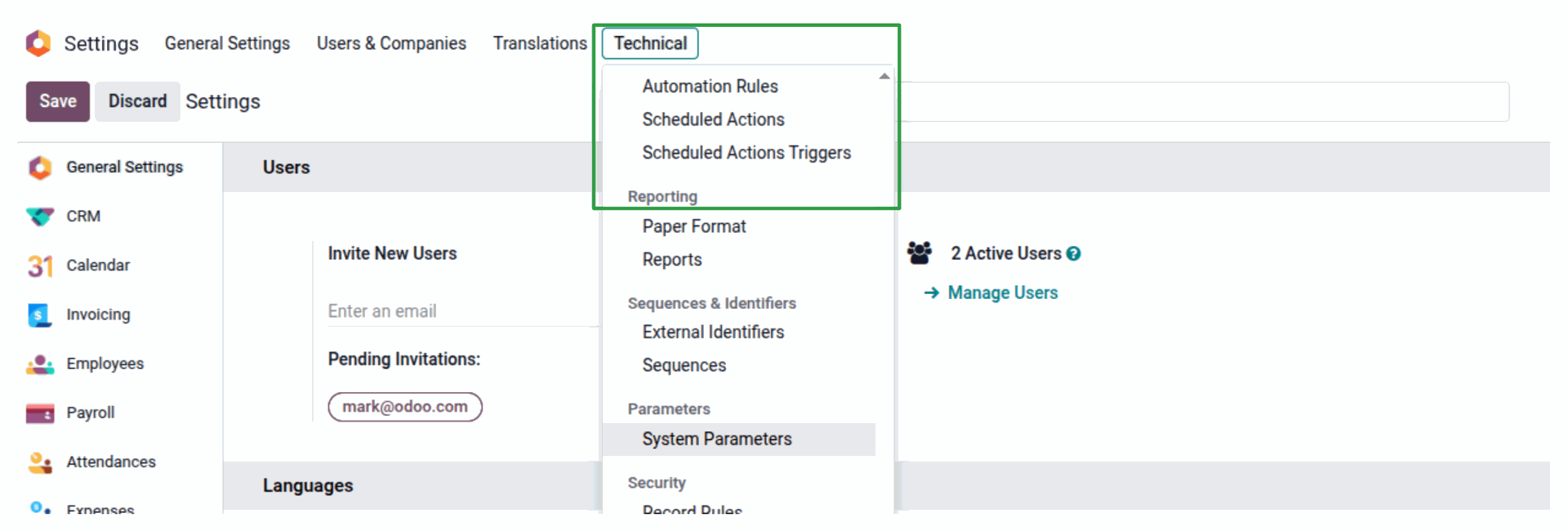
To create an automated rule in Odoo 19 with specific trigger conditions and domain filters, follow the step-by-step process below. The procedure allows you to define precise rules that execute automatically when your business conditions are met, streamlining workflows without manual intervention.
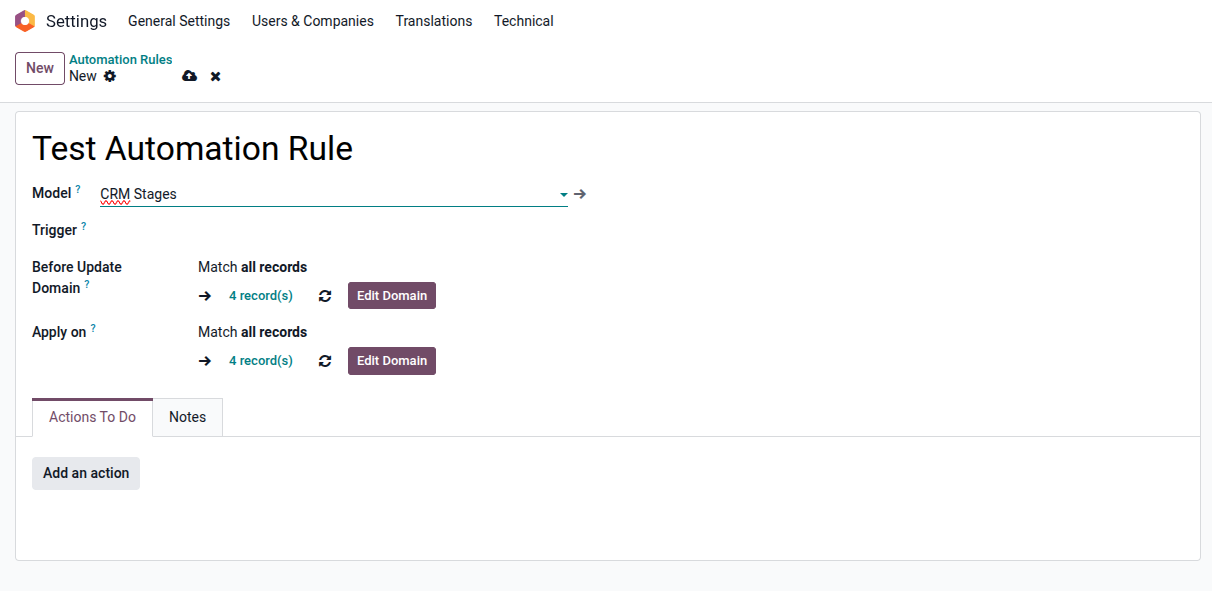
Define Basic Parameters:
- Name: Choose a descriptive name that clearly indicates the rule's purpose
- Model: Select the Odoo model (e.g., Sales Orders, Invoices, CRM Leads) . This automation will affect
- Action To Do: Choose between executing server actions, sending emails, or updating fields
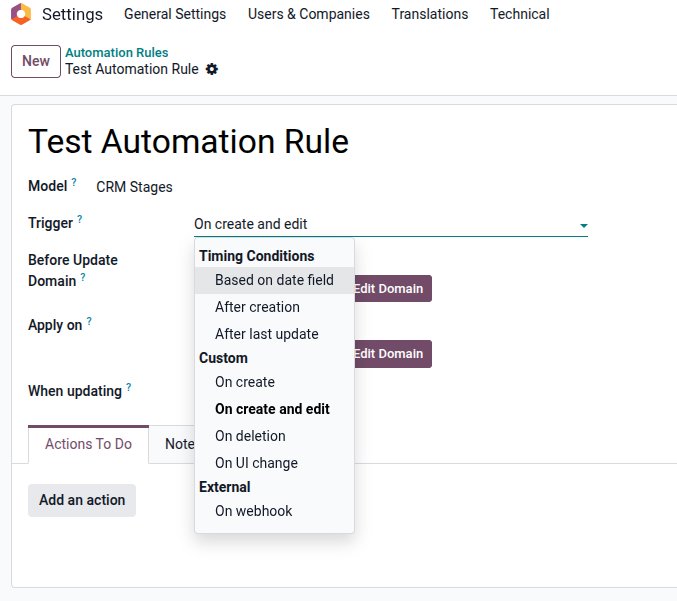
Configure Trigger Conditions:
- On Creation: Triggers when a new record is created
- On Update: Activates when specified fields are modified
- On Creation & Update: Combines both triggers
- On Deletion: Executes before a record is removed
- On UI Change: Execute and triggered by UI changes will be executed every time the watched fields change, whether you save or not.
- On Webhook: Activates automation in response to incoming webhooks.
- Based on Time Condition: Activates after a defined period from a date field
Configure Before Update Domain & Apply On
In Odoo 19, automation lets you update records only when certain conditions are met. By using domain filters, you can ensure automated actions apply only to records that match specific criteria.
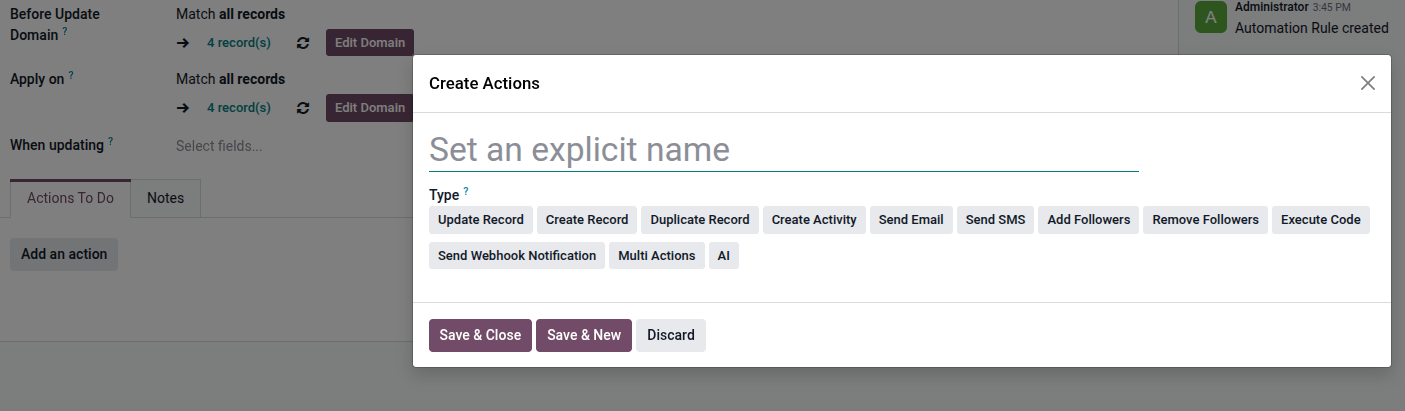
Configure Action To Do
- Update Record: This action updates one or more fields of the current record automatically.
- Create Record: This action creates a new record in another model based on the current record’s data.
- Duplicate Record: This action creates a copy of the current record, including selected field values.
- Create Activity: This action schedules an activity (To-Do, Call, Meeting, etc.) for a user.
- Send Email: This action sends an email using a predefined email template.
- Send SMS: This action sends an SMS message to the related contact.
- Add Followers: This action adds users or partners as followers of the record so they receive notifications.
- Remove Followers: This action removes followers from a record.
- Execute Code: This action executes Python code for advanced and custom logic.
- Send Webhook Notification: This action sends data to an external system via a webhook (HTTP request).
- Multi Actions: This action allows you to execute multiple actions at once in a single automation rule.
- AI: This action leverages AI capabilities to generate or process content automatically.
Conclusion
Automation Rules in Odoo 19 provide a powerful and flexible way to streamline business processes and reduce manual effort. By leveraging the various Action Types—such as updating records, creating activities, sending notifications, executing code, or integrating with external systems—you can ensure that your workflows run consistently and efficiently based on predefined conditions.
Whether you are automating simple field updates or implementing advanced logic with webhooks and Python code, Odoo 19 automation helps improve accuracy, productivity, and system integration. When designed correctly, these rules not only save time but also enhance collaboration and decision-making across your organization.
By understanding and applying the right automation actions, businesses can fully unlock the potential of Odoo 19 and build scalable, intelligent workflows that grow with their operational needs.