
Introduction
Often, precious time is wasted manually entering website inquiries into your CRM or discovering promising submissions that are already three days old. These inefficient methods stall business growth and let opportunities slip away. In today's digital era, response time is everything. The key to winning is speed and automation. The good news? You can automate it completely. Odoo 19 offers powerful, built-in features that transform your website from a static contact form into a 24/7 lead generation machine—all without a single line of code. In this guide, you'll learn exactly how to set up this automatic capture. Spend your time growing your business, not managing data entry.
Why is this better?
Without this automation:
- Leads may be lost or forgotten
- Sales response becomes slower
- Data accuracy decreases
- Customer experience suffers
With automation in Odoo CRM:
✅ Every inquiry becomes a lead
✅ Leads are assigned automatically
✅ Sales teams respond faster
✅ Data stays structured
Configure Website Contact Form → CRM Lead
Setting up automated lead capture requires minimal preparation, like you must already have Website and CRM apps installed and activated. Next, let's move on to configure.
Step 1
Navigate to your Website → Go to Website in your Odoo dashboard. Then, navigate to your /Contact Us page (or wherever your contact form lives)
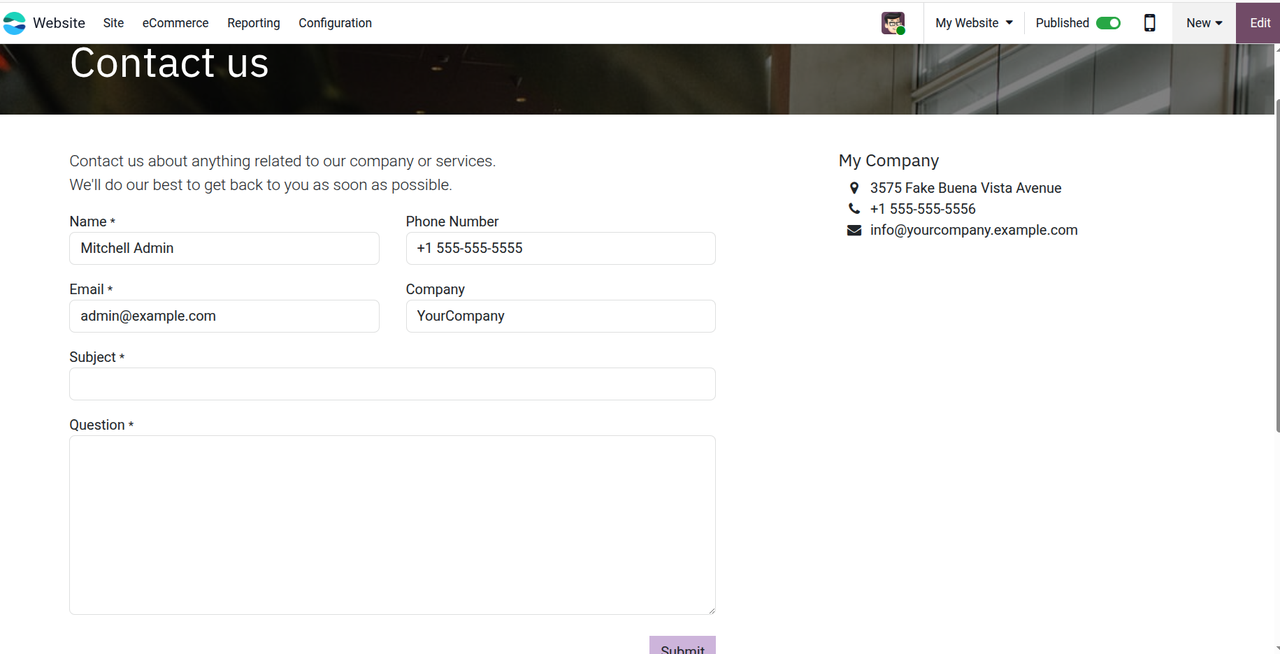
Step 2
Enter edit mode and customize the form by clicking Edit button in the top right corner. Click directly on your form or submit button until it looks like this
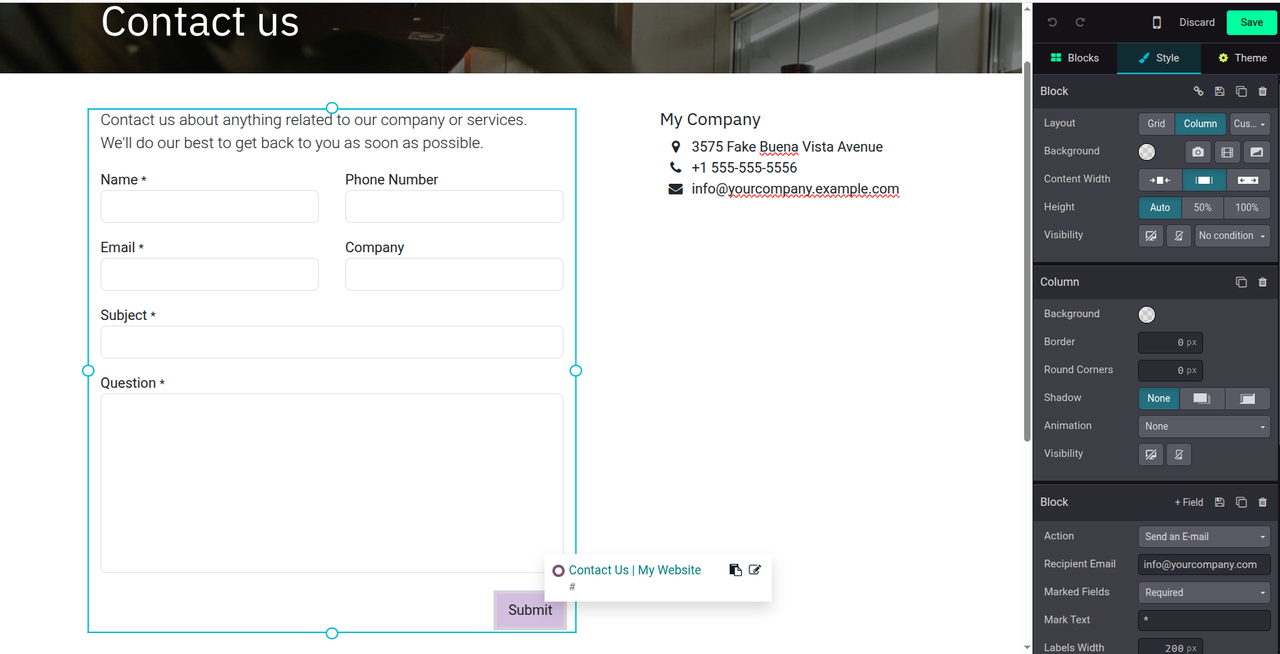
You can see the configuration on the right, there we'll be configured everything.
Step 3
In the form panel fine Action Configuration and select Create an Opportunity
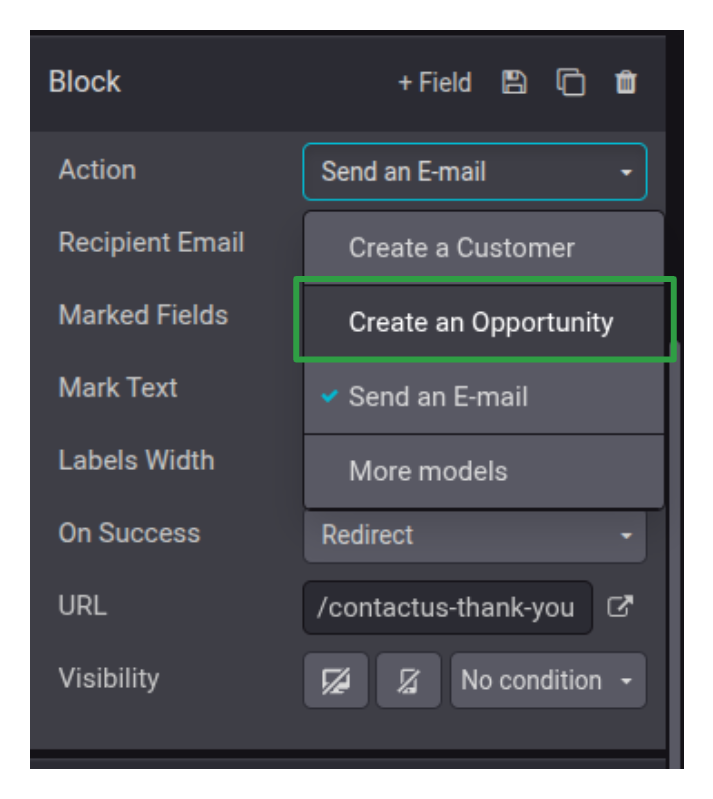
After selected, there will be fields you can configure.
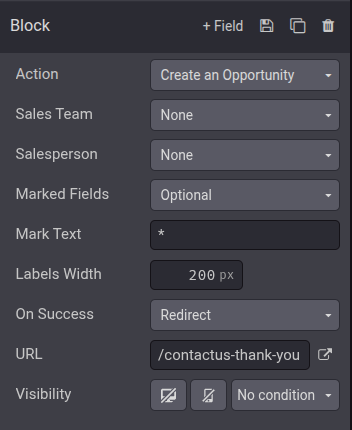
- Sales Team
You can set for specific Sales Team that you already have when the Opportunity is created. But first you have already have a team set up on odoo go to CRM > Configuration > Sales Team.
- Salesperson
You can also set for specific user/salesperson when the Opportunity is create
- Marked fields
This has 3 options None means don't mandatory any fields in this form when submited, Opsional means you can choose which field are mandatory in form , and Required means all fields in this form is mandatory to fill.
- Marked text
When choosing Optional or Required, you can show text when the field isn't fill by user/customer. For example Required are chosen then you want to display this message *There's still a field you have to fill in to submit this request. Please complete and try again
- On Success
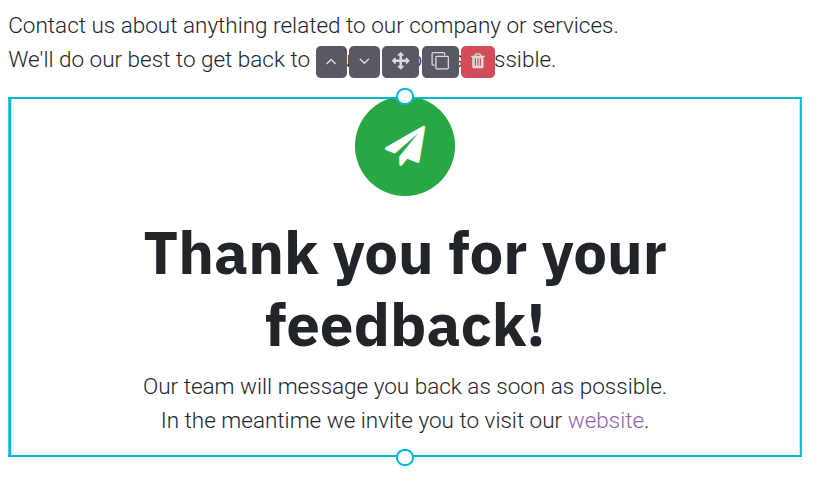
If the form was successfully submitted, you can choose action. Redirect, you can direct the user/customer to another URL. Or Show Message, odoo automatic show this Thank you message like this:
Step 5
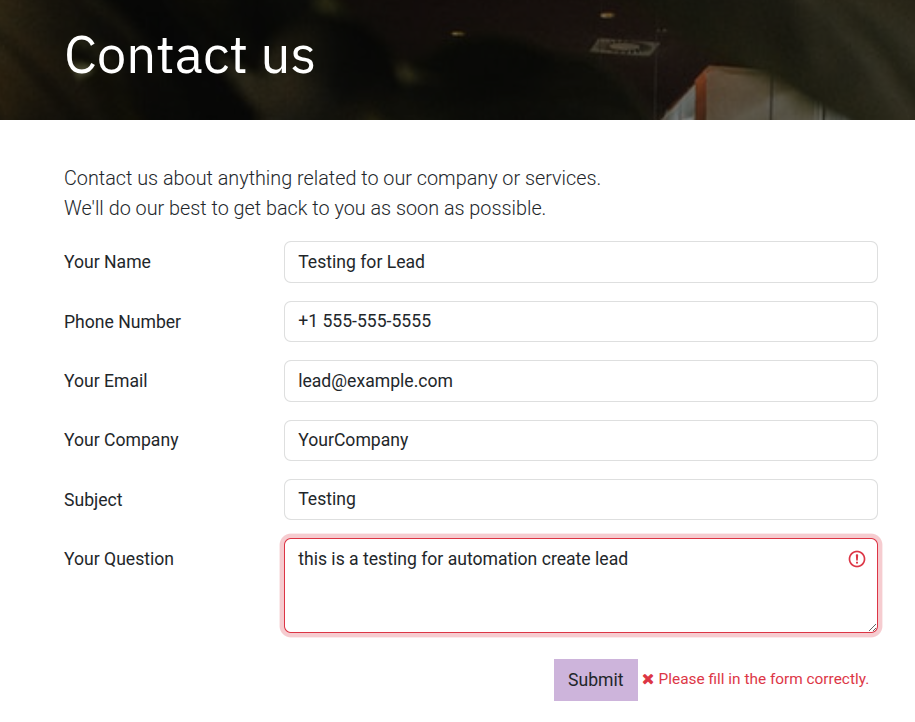
After everything is configured Save the configuration and start testing.

Conclusion
By following the steps above, you've successfully eliminated manual data entry. Every website inquiry now automatically becomes a structured lead in your Odoo CRM. This is a significant step forward, but there's an important distinction to understand:
What You've Achieved:
- Automatic lead creation - No more manual entry
- Structured data - All information captured consistently
- 24/7 capture - Leads created even outside business hours